









Sort the Puzzle Gallery
 (1 оценок, среднее: 5.00 из 5)
 Loading...
Similar Games







Description
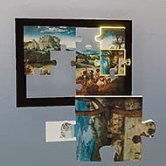
What do you do when an earthquake throws more than 5000 puzzle pieces across a gallery of nearly 200 paintings, and you are the only janitor on shift? In Sort the Puzzle Gallery the answer is to pick up a piece, find the frame it belongs to, and put masterpieces back together one at a time. The job sounds simple, and it turns out to be strangely hard to put down.
| Genre | Cozy puzzle and organization simulation |
| Perspective | First-person |
| Players | Single-player, with co-op for up to 4 in My Puzzles mode |
| Core goal | Return every scattered piece to its painting |
Earthquake Cleanup: 5000 Pieces and Nearly 200 Paintings in Sort the Puzzle Gallery
You play the janitor, and the gallery is the mess. Paintings from more than 20 famous artists, including Monet, Van Gogh and Hokusai, hang in the space, and every one of them has lost its pieces to the shaking. The job is to use your puzzling skills, plus a few enhancements, to send each piece home.
Every painting is its own puzzle with a different shape, subject and size, so the gallery never settles into one rhythm. Classical music plays while you work, which pushes the game toward calm rather than panic.
First-time players often grab whichever piece is closest and try to place it, and that instinct works until it suddenly does not. Sorting by edge, color or region of the painting before placing anything is a habit many jigsaw fans already bring with them, and it pays off quickly in a room with this many loose pieces.
Ghost Previews and Shimmering Lock-In: Why Solving Feels Good
The controls are built around small rewards. Hover a piece over a painting and a ghost preview shows where it wants to go, and when the piece settles into place it locks in with a shimmer. That tiny flash is easy to get hooked on, and it turns a long puzzle into a run of satisfying little clicks.
Relaxed players can lean on the ghost previews and drift through a painting without pressure. Jigsaw purists can treat the previews as training wheels and aim to read the picture on their own.
A fair complaint about any gallery this size is repetition, since nearly 200 puzzles ask for a lot of the same motion. The variety of paintings, shapes and sizes does most of the work to keep that from setting in.
Skill Upgrades, Sprinting and the Chase for the Fastest Times
Every finished puzzle feeds into skill upgrades that sharpen different areas of your brain, helping you find, handle and solve pieces faster over time. Early in the game the gallery feels large and slow, and by the time the upgrades stack up you are sprinting between paintings with a clear plan.
Speed players min-max these abilities and treat the gallery like a course, timing each painting and hunting for the route that clears the most pieces per trip. The score-attack side of the game rewards exactly that mindset.
Challenge modes push in the other direction, for puzzlers who want no help at all:
- Black & White Mode removes color as a guide
- The Big White hands you 1024 pieces of pure white and nothing to lean on
Custom Galleries and Up to Four Janitors in Sort the Puzzle Gallery
My Puzzles mode lets you upload your own images and turn them into puzzles, either one at a time with adjustable size or as a full gallery of up to 500 pictures. A landscape can become a 1000-piece challenge, and a photo of a pet can become a 50-piece easy solve.
Custom galleries support up to 4 players, so the cleanup becomes a shared job. Friends can split the gallery or race each other, and the classical soundtrack adds a formal backdrop to whatever you decide to pour into it.
The main gallery and the custom mode share the same core loop, so nothing has to be relearned when you switch. The only difference is the source of the mess: one comes from an earthquake, the other from whatever you choose to upload.
Questions Players Ask About the Gallery Cleanup
- How do I solve puzzles faster? Spend your skill upgrades early and use the ghost previews to confirm placements instead of guessing. Sorting pieces by region of the painting before you start also cuts down on wandering the gallery. Speed players add sprinting and route planning on top of that.
- Can I play with friends? Yes, My Puzzles mode supports up to 4 players, whether you are cleaning up your own curated gallery or the classic paintings. It suits a relaxed evening and a friendly race equally well.
- Can I use my own pictures? Yes. You can upload up to 500 images in common formats such as png, jpg or webp, and My Puzzles mode turns them into puzzles you can resize from a 50-piece easy solve to a 1000-piece landscape. Memes, custom artwork and pet photos all work.
Sort the Puzzle Gallery works because it treats jigsaw solving as a job with a personality: a janitor, an earthquake, ghost previews, and a shimmer every time a piece locks in. Whether you sprint through The Big White chasing a record or slowly put a Monet back together to classical music, the gallery is happy with either pace. Pick a painting, grab a piece, and let the cleanup begin.