















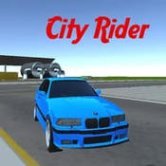
City Rider
 (Пока оценок нет)
 Loading...
Similar Games












Description
What does a driving game look like when the city itself is the main obstacle? City Rider answers with busy 3D streets, heavy traffic, tight corners and a steady stream of missions, all wrapped around a simple loop of earning cash and spending it on a faster, sharper sports car.
| Genre | Open-city driving |
| Platform | Browser, desktop only |
| Steering | WASD or arrow keys |
| Extra keys | Space brake, 1 and 2 switch cars, Q and E indicators, C camera |
Traffic Is the Real Opponent in City Rider
The first few minutes feel relaxed. You roll out onto an open highway, the car responds nicely and the city looks inviting. Then traffic thickens, intersections get busier and the game starts asking whether you can hold speed without clipping a bumper every few seconds.
Weaving between lanes is the core skill. Reading the gaps two or three cars ahead lets you plan a route instead of reacting at the last moment, and that small habit changes how smooth every drive feels.
Players who rush every street usually spend more time recovering from crashes than actually driving, so a little patience at junctions pays off quickly. Tailgating a slow truck for a moment is often faster than forcing a gap that is not really there.
Drifting Through Urban Corners
Corners in the city are tight, and drifting is the stylish way through them. Tapping the brake just before the turn and steering into it lets the rear slide out, which looks great and keeps momentum when it works.
When it does not work, the car slams sideways into a wall or another vehicle. Learning how much speed each type of corner can take is part of getting comfortable with the handling.
Drifting fans will enjoy practising on quieter streets before trying the same move in heavy traffic. The handling rewards that practice with cleaner, more confident lines.
Small Controls That Make a Difference
Indicators. Q and E signal turns, which adds a touch of realism that some players love and others never touch. Using them is optional, but it fits the mood of cruising through a living city.
Car switching. Keys 1 and 2 swap between cars, so you can move from a nimble machine to a faster one depending on the job at hand.
Camera. Pressing C changes the view. A higher camera makes traffic easier to read, while a closer one feels more intense but hides what is coming around the bend.
Cash, Upgrades and Missions in City Rider
Missions are where the money comes from, and money is what turns an ordinary car into something that can really claim the city asphalt. Upgrades improve how the car performs, so each completed task makes the next one a little easier.
The progression is gentle rather than dramatic. Some players wish there were more variety between missions, and that repetition is the most common criticism.
Casual drivers tend to enjoy simply cruising the streets, while players who like goals focus on stacking cash for the next upgrade. Both approaches work, since the city is open enough to explore between jobs.
City Rider Common Questions
- Can you play City Rider on a phone? No, the game is built for desktop and uses keyboard controls. Steering, braking, indicators and camera changes all sit on separate keys.
- How do you earn cash faster? Focus on completing missions cleanly instead of crashing through traffic. Fewer collisions mean less time wasted, and the cash adds up toward upgrades for your sports car.
- What does the C key do? It cycles the camera view. Many players prefer a higher angle in dense traffic because it shows more of the road ahead.
City Rider is at its best when you stop fighting the traffic and start reading it, drifting through tight corners, signalling with Q and E and steadily upgrading your sports car until the busiest streets feel like your own.