












Tiny Brutalism
 (1 оценок, среднее: 5.00 из 5)
 Loading...
Similar Games








Description
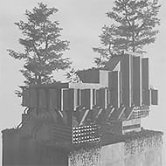
You drop a single concrete block onto an empty plot, and within a few more clicks it is already turning into something between a bunker and a cathedral. Tiny Brutalism gives you no goal and no scorecard, just a growing structure and the question of how far you are willing to take it.
| Genre | Sandbox building |
| Platform | Windows, macOS, Linux |
| Core loop | Click to build, click to remove, reshape until it feels finished |
| Plot size | Resizable, up to 16×16 |
Building Without a Goal in Tiny Brutalism
There is no win state here, and that is the entire point. Tiny Brutalism hands you a plot, a block tool, and a removal tool, then gets out of the way. You can build a single oppressive wall and call it done, or spend an afternoon layering concrete towers until the plot barely has room left.
Clicking places a block, holding and dragging fills an area, and shift-clicking removes whatever is there. That is close to the entire control scheme, and the simplicity is deliberate — the game wants the thinking to happen in your head, not in a menu.
Slopes, Windows, and Cables
What keeps Tiny Brutalism from feeling like a flat block-stacker is its secondary tool set. Holding and scrolling flips through variants on whatever you are currently placing, which is how slopes, windows, and cables get layered into an otherwise blocky structure.
Players who only use the basic block tool tend to end up with structures that read as simple boxes. The ones who dig into variant-flipping produce the kind of jagged, asymmetric towers that show up most often when people share screenshots of their builds.
A fair amount of early feedback from players has pushed for even more control over which variant gets placed, since flipping through options by scroll wheel can feel slow once you know exactly what you want.
Day, Night, and the Black-and-White Look
Tiny Brutalism’s visual identity leans almost entirely black and white, which suits its subject matter better than color would. Clicking the sun icon swaps between day and night, changing how shadows fall across whatever you have built and, more than a few players have noted, making the same structure feel completely different depending on when you look at it.
Night mode in particular tends to flatter taller builds, since the lighting makes concrete edges read more dramatically than the flatter daylight look does.
Resizing Your Plot and Working at Scale
Early plots felt restrictive to a lot of players, and Tiny Brutalism responded with resizable plots that now go up to 16×16, a sharp jump from the original footprint. That size increase changes what kind of structures are realistic to attempt, since a cramped single tower and a sprawling complex of smaller buildings both become viable once there is room for both.
Undo support through a standard keyboard shortcut means experimenting with scale does not carry much risk. You can push a build further than planned, decide it does not work, and step back without losing the parts you were happy with.
The Eco-Brutalism Update
A recent update added plant life to the mix, softening the otherwise stark concrete with greenery that plays against the genre’s reputation for coldness. Eco-brutalism as a real architectural movement pairs raw concrete with heavy vegetation, and the update lets players chase that exact contrast inside Tiny Brutalism rather than sticking to pure grey.
It is a small addition on paper, but it changes the kind of screenshots people post. A plain concrete tower reads as austere; the same tower wrapped in vines reads as something closer to abandoned and reclaimed, which is a mood a lot of players have been reaching for since the update landed.
What Players Still Want
The most common request in the comments is export support, specifically the ability to bring a finished structure into other 3D tools as a standard model file. That feature is not in yet, and players building elaborate structures have been vocal about wanting their work to leave the game rather than stay locked inside it.
The other recurring piece of feedback is camera control at close range, since orbiting around a tall structure to inspect detail work is not quite as smooth as walking through it would be. Both points come up often enough that they read less like complaints and more like a wishlist for where Tiny Brutalism goes next.
Whatever shape it takes by the time export support lands, Tiny Brutalism already does the one thing a sandbox like this needs to do: it makes stacking concrete blocks feel like an actual creative decision, not just busywork between menus.