















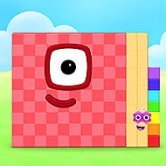
Numberblocks Generator
 (2 оценок, среднее: 5.00 из 5)
 Loading...
Similar Games










Description
How do you build a Numberblock that goes past one trillion without pressing a button a million times? Numberblocks Generator has a mode for exactly that. You pick a value, the game draws the matching Numberblock, and a single menu button lets you see which clubs it belongs to. Everything else in the generator is a variation on that one idea.
Opening the Menu in Numberblocks Generator
The button with three green bars is where almost everything happens. Press it and a long panel of controls opens, and you can scroll through it with your mouse wheel or with the up and down arrows. At the top sits a slider that changes the value as you drag it, which is the fastest way to jump from a small Numberblock to a huge one and watch the block shape grow.
Below the slider come the nudge buttons. Plus and minus buttons raise or lower the number by a fixed amount, with values like 1, 3 and 30 for whole numbers and 1/2 or 1/60 for fractions. That fraction range matters more than it sounds, because it lets you build Numberblocks that most people never see in a normal episode.
A parent sitting with a young child will probably stay on the plus and minus buttons. Tap +1 and the Numberblock grows by one block, which makes the idea of counting visible in a way a worksheet cannot.
SET, +X and AUTO: Getting to the Number You Want
Nudging works for small jumps, but SET is the button that saves time. Press it and a prompt asks for a number, and whatever you type becomes the new Numberblock. The +X button does something similar, except it adds or subtracts a custom amount instead of replacing the value. That is the one to use when you want Forty-Two plus exactly seventeen more.
AUTO is the surprise of the menu. Switch it on and the number climbs by a chosen amount every half second, so the Numberblock builds itself while you watch. Early in a session it is mostly a toy, but a teacher can use it to show a class how Four turns into Nine and then into Sixteen when the square shapes appear.
If you lose track of where you are, RESET returns the value to the start, and CENTER NUMBER moves the figure back to the middle of the screen. Large Numberblocks tend to drift off to one side, so that second button gets pressed more than you would expect.
Clubs, INFO and SAY NUMBER Explained
The CLUBS button opens a list of every club the current Numberblock belongs to. Nine appears in the Square Club because its blocks form a three by three square, while Six is a Triangle Club member. Other numbers collect several memberships at once, and seeing those overlaps side by side is the main learning payoff of the whole game.
INFO goes a step further and shows what is known about that Numberblock in the actual show. SAY NUMBER makes the figure speak its own name, which is a small touch that young players love. Fans who enjoy trivia will likely spend more time on INFO than on anything else, hunting for characters they have half forgotten.
There is one honest limit. The club and information data only goes as far as the creator added it, so a very new character or an unusual club may be missing. The generator works best as a quick reference rather than a final word on the series.
Exponential Mode and Going Past One Trillion in Numberblocks Generator
Ordinary mode stops at one trillion, and that is where the EXP button comes in. Toggle exponential mode and the number can climb well beyond that wall, so the generator stops being a counting toy and becomes a way to explore absurdly large values. Most players try it within their first ten minutes, mainly to see what happens when a Numberblock gets that big.
The other toggle worth knowing is FIGURED OUT FRENZY. It decides whether characters from that fan series appear alongside the regular Numberblocks. The menu itself asks you to credit the original creators if you reuse those characters, and that is a fair reminder that this is a community project with borrowed pieces rather than an official release.
On the practical side, the generator is available for Windows and Android, and browser copies exist too. If sound is silent on a phone, tap the screen once before pressing SAY NUMBER. Mobile browsers often hold audio back until you interact.
Numberblocks Generator rewards a slow walk through its menu. Slide to Seven, press CLUBS, flip on EXP and see how far the Square Club stretches, and you will understand why people keep it open long after the first ten numbers.